
Why Valentine's Day is the easiest seasonal sale after New Year
Valentine's Day is the seasonal job with the cleanest client list in the calendar. The date never moves, the businesses that depend on it are obvious, and their promotion window is short and predictable. A florist, a restaurant with a set menu, a jeweler, a chocolatier, a spa selling couples packages, a hotel with a weekend offer: every one of them needs to be in front of customers in the last week of January and the first two weeks of February, and almost none of them have video. They post a red graphic with a heart on it because nobody offered anything better.
So the sale is two cuts from one production, the same shape as the December work. The booking cut runs from the end of January through February 13 and carries the offer: reserve a table, order by a date, the gift guide. The greeting cut is a warmer, shorter piece the business posts on February 14 itself. It is the natural first sale of the new year after [how to make AI New Year videos](/blog/how-to-make-ai-new-year-videos), and it is easier to close than [how to make AI Christmas videos](/blog/how-to-make-ai-christmas-videos), because the client base is narrower and every business on it is already planning the promotion.
The Slow Unwrap: the three-beat structure clients order
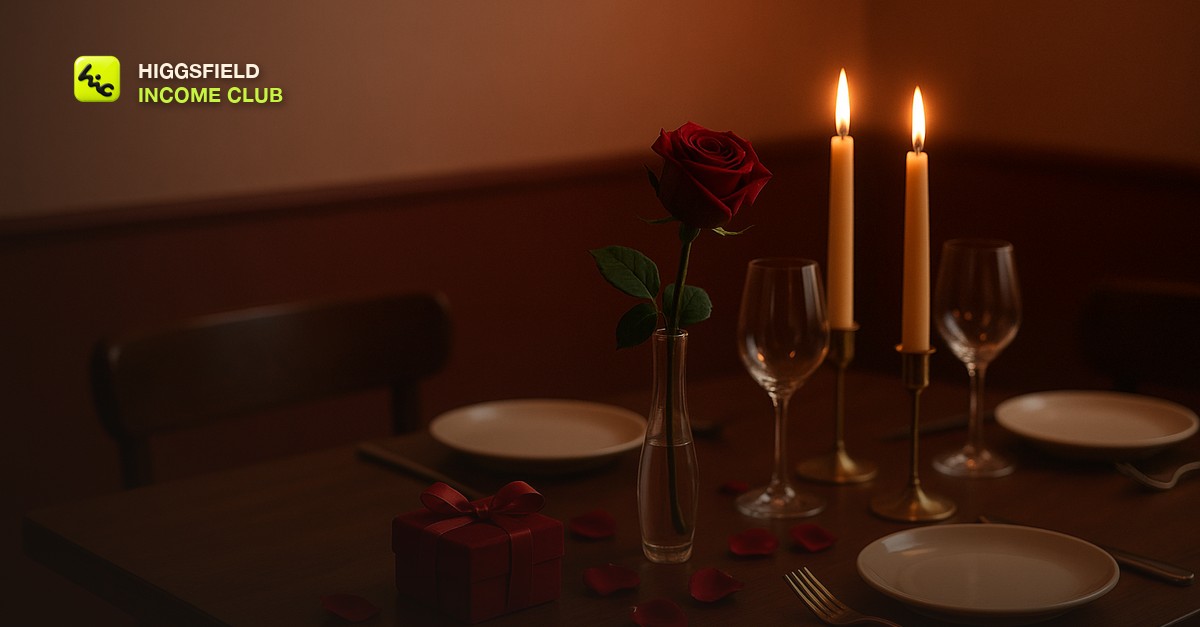
The Slow Unwrap is the club's structure for a Valentine's piece. It has three beats, it runs 12 to 20 seconds, and it loops. The whole video is one gift being revealed slowly, in the client's own world. That single idea is what separates it from the stock rose-petal clip, and it is what makes the piece feel like it belongs to a specific florist or a specific dining room rather than to Valentine's Day in general.
The Slow Unwrap
| Beat | What is on screen | Prompt cue |
|---|---|---|
| 1. Anticipation | The gift before it is opened: a wrapped box on a table, a single stem in paper, a set table with an empty chair, a closed ring box | Low warm light, candle flicker, slow push-in, stillness, deep red and rosewood tones |
| 2. Reveal | The one moment of change: a ribbon loosening, a lid lifting, petals falling, a candle catching | One motion only, slow motion, shallow depth of field, crimson and gold, nothing else moving |
| 3. Afterglow | The space after: petals settled, candles lower, a warm glow on glass, room in the frame for text | Slow pull-back or gentle tilt, softer light, calm, blush highlights |
The booking cut ends on beat three with the offer as text over the settled scene. The greeting cut ends on the same frame with a single warm line. Both come from one set of generations, which is why the piece is profitable: you sell the greeting cut as a small add-on and it costs you a text change.
The firsthand lesson from the club's own Valentine's runs is that beat two is the one to protect. Ask the model for a ribbon, a lid, and falling petals in one shot and the ribbon melts into the box. Ask for one thing to move and it holds. The reveal is the moment the client is paying for, so give it a whole generation and keep everything else in the frame still.
Sell in the first two weeks of January, deliver by January 31
The calendar is tight because the posting window is fixed. A florist wants the booking cut live in the last week of January, and a restaurant with a set menu wants reservations filling by then. Both want the file in hand before the month ends. Work back from January 31.
Valentine's Day production calendar
| When | What you do | Why then |
|---|---|---|
| First week of January | Pitch the Valentine's piece to every client who bought December work, plus the fixed list: florists, restaurants, jewelers, chocolatiers, spas, hotels | They are planning their February promotion now and have not commissioned video for it |
| Second week of January | Generate beat one and beat two from each client's own product photo or space, then the shared beat three base you re-color per client | Beats one and two are client-specific; beat three can share a base |
| Third week of January | Assemble the booking cut and the greeting cut, add the offer and greeting text, send both for one round of feedback | Leaves a week of slack before the booking cut needs to go live |
| By January 31 | Deliver final files in the client's platform formats with a one-line posting note: booking cut from February 1, greeting cut on February 14 | Nobody wants to be chasing a file in the busiest week of their year |
Pricing follows the same logic as the other seasonal pieces: a flat fee for the booking cut, a small add-on for the greeting cut, both priced off the day-rate math in [how to price AI video services for clients](/blog/how-to-price-ai-video-services-for-clients). The booking cut is the one that matters strategically, because a restaurant or florist whose February filled up with your video is the easiest retainer conversation of the spring, and the structure for that pitch is in [how to sell AI video on a monthly retainer](/blog/how-to-sell-ai-video-as-a-monthly-retainer). The local pipeline in [AI video for local businesses](/blog/ai-video-for-local-businesses) is where most of these clients come from, and chocolatiers and gift shops that sell online fit the listing work in [AI video for Etsy and Shopify product listings](/blog/ai-video-for-etsy-and-shopify-product-listings). If you have no clients yet, post your own Slow Unwrap in the first week of February and let the businesses who share it become the ones you pitch.
Inside the Higgsfield Income Club at higgsfieldincomeclub.com, $9/month, creators share the Valentine's prompts that are producing clean ribbon and petal reveals right now, the January message that gets New Year clients to add the Valentine's piece in one reply, and the booking cuts that turned into spring retainers. If you want February to be a paid month instead of a quiet one, start from what is already selling.
Short, practical drops on income paths, prompts that work, packaging for views, and getting paid. No spam, unsubscribe anytime.
Frequently asked questions
What should an AI Valentine's Day video actually show?
Three beats: a gift before it is opened in the client's own setting, the single moment of reveal, and the settled afterglow with room for text. The club calls this the Slow Unwrap. Starting from a photo of the client's real bouquet, dish, or ring for the reveal is what makes the piece feel like theirs rather than a stock rose-petal clip.
Why do AI hearts and roses look wrong, and how do I avoid it?
Heart shapes drift and lose their symmetry across frames in most AI video models, and roses with too much motion smear. Keep hearts out of the prompt entirely, let deep red, blush, and candlelight gold carry the meaning, and give each shot one slow motion only. Add any heart graphic in your editor if the client wants one.
Should I include a couple in the video?
No. Faces, hands, and two people touching are where AI video still looks fake, and a Valentine's audience is looking closely at exactly those things. Keep people out of the frame and let the objects, the light, and the reveal do the storytelling. Clients rarely miss the couple once they see the piece.
When should I sell Valentine's Day videos to clients?
Pitch in the first week of January, generate in the second, assemble and get feedback in the third, and deliver by January 31. Florists and restaurants want the booking cut live in the last week of January, and the greeting cut posts on February 14. Send the pitch in the same message as your New Year promo work so it is one conversation.
What is the Slow Unwrap?
It is the club's structure for an AI Valentine's Day piece: the anticipation before a gift is opened, the one slow motion of the reveal, and the afterglow after it, running 12 to 20 seconds and looping. One set of generations produces a booking cut with the offer and a greeting cut for the day itself, which is why the piece is profitable to sell.
Last reviewed by David on September 27, 2026
