
Why New Year is two paid windows, not one
New Year is the seasonal job most AI video creators leave on the table because it lands in the week they are resting. That is exactly why it pays. Every business posts something on December 31 or January 1, and the ones that sell a fresh start - gyms, yoga studios, salons, coaches, financial planners, real estate agents - also run a January promotion in the first week of the year. Almost none of them have video for either moment. They post a text graphic with a year on it because nobody offered anything better.
So the sale is two cuts from one production. The greeting cut is a warm thank-you-and-welcome piece the business posts at midnight. The promo cut is the same footage with a final beat that carries their January offer. It is the natural last stop on the Q4 calendar after [how to make AI Christmas videos](/blog/how-to-make-ai-christmas-videos), and it is distinct from [how to make AI year-in-review videos for clients](/blog/how-to-make-ai-year-in-review-videos-for-clients): the year-in-review looks back at the client's wins, while the New Year piece looks forward and sells what comes next.
The Midnight Loop: the three-beat structure clients order
The Midnight Loop is the club's structure for a New Year piece. It has three beats, it runs 15 to 25 seconds, and it ends where it begins so it loops cleanly on a feed. The whole video is a single transition from last light to first light with midnight in the middle. That transition is what makes it feel like New Year rather than a party clip.
The Midnight Loop
| Beat | What is on screen | Prompt cue |
|---|---|---|
| 1. Last light | The client's world at the end of the year: a quiet bar, a dark gym floor, an empty salon chair, a dressed table | Low warm interior light, long shadows, a clock or candles, slow push-in, stillness |
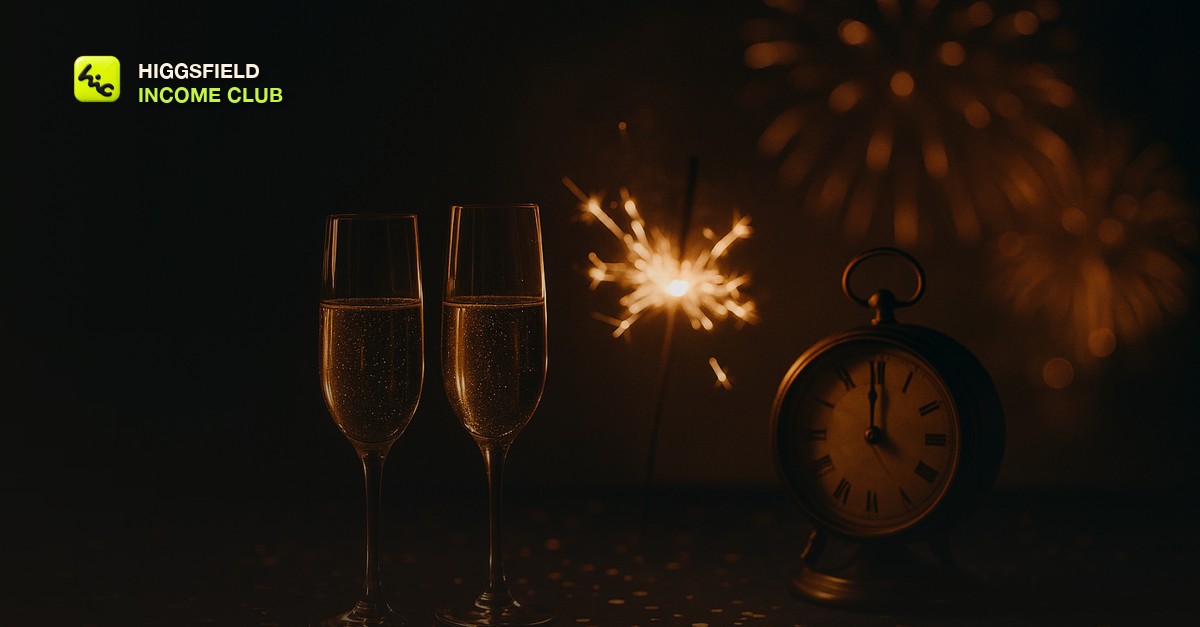
| 2. The turn | Midnight itself: confetti falling, sparklers, champagne pouring, a clock hand reaching twelve | Gold and midnight-blue palette, slow motion, shallow depth of field, distant fireworks bokeh |
| 3. First light | The same space at dawn on January 1: clean, bright, ready - the client's fresh start | Cool early daylight, frost or mist on glass, a slow tilt up or gentle pan, calm |
The greeting cut ends on beat three with a thank-you line and the new year on screen. The promo cut adds a fourth beat - a still frame from beat three with the January offer in text - or simply lets the client post the same video with the offer in the caption. Both versions come from one set of generations, which is why the piece is profitable: you sell the second cut for a small add-on and it costs you almost nothing.
The firsthand lesson from the club's own New Year runs is that beat one is the one clients notice. Fireworks are everywhere on December 31. A quiet shot of their own space at the end of the year, lit warm and held still, is what makes the piece feel like it belongs to them. Spend your generations there, and keep the fireworks in the background of beat two where the model handles them best.
Sell in early December, deliver by December 28
The calendar is tight because the posting moment is fixed. A business posts its New Year piece at midnight on December 31 or first thing on January 1, and it wants the file in hand before the holiday break, which for most small businesses means by December 28. Work back from there.
New Year production calendar
| When | What you do | Why then |
|---|---|---|
| First week of December | Pitch the New Year piece to every client who bought Christmas, plus the fresh-start niches: gyms, studios, salons, coaches, planners, agents | They are already thinking about January promotions and have not commissioned video for them |
| Second week of December | Generate beat one for each client from a photo or description of their space, then the shared beat two and beat three footage | Beat one is client-specific; beats two and three can share a base you re-color per client |
| Third week of December | Assemble the greeting cut and the promo cut, add the year and offer text, send both for one round of feedback | Leaves a full week of slack before the holiday shutdown |
| By December 28 | Deliver final files in the client's platform formats with a one-line note on when to post | Nobody wants to be chasing a file on New Year's Eve |
Pricing follows the same logic as the other seasonal pieces: a flat fee for the greeting cut, a small add-on for the promo cut, and both priced off the day-rate math in [how to price AI video services for clients](/blog/how-to-price-ai-video-services-for-clients). The promo cut is the one that matters strategically. A client whose January offer got video from you is the easiest retainer conversation of the year, and the structure for that pitch is in [how to sell AI video on a monthly retainer](/blog/how-to-sell-ai-video-as-a-monthly-retainer). If you do not have client work yet, the same Midnight Loop posted on your own channel on December 30 and 31 is one of the most shareable pieces of the year, and the local pipeline in [AI video for local businesses](/blog/ai-video-for-local-businesses) turns the people who share it into January clients.
Inside the Higgsfield Income Club at higgsfieldincomeclub.com, $9/month, creators share the New Year prompts that are producing clean confetti and sparklers right now, the bundle message that gets December clients to add the countdown in one reply, and the January promo cuts that turned into retainers last year. If you want the first week of January to be a paid week instead of a quiet one, start from what is already selling.
Short, practical drops on income paths, prompts that work, packaging for views, and getting paid. No spam, unsubscribe anytime.
Frequently asked questions
What should an AI New Year video actually show?
Three beats: the client's own space at the end of the year in warm low light, the turn at midnight with slow-motion confetti, sparklers, or champagne, and the same space at dawn on January 1 in cool clean light. The club calls this the Midnight Loop. The quiet first beat is what makes the piece feel like it belongs to the client rather than a stock fireworks clip.
Why do AI fireworks look wrong, and how do I avoid it?
Fireworks bursts drift and warp in most AI video models when they fill the frame, because the model has to invent thousands of moving points at once. Keep fireworks distant and out of focus, as bokeh behind a window or over a skyline, and let confetti, sparklers, or a champagne pour carry the midnight beat in the foreground.
Should I put the year in the prompt?
No. The model will confidently generate digits, and they are often wrong or change between frames. Keep the frame free of numbers, banners, and clock faces with readable digits, and add the year, the greeting, and any offer as text in your editor over the final beat.
When should I sell New Year videos to clients?
Pitch in the first week of December, generate in the second, assemble and get feedback in the third, and deliver by December 28. Businesses post the piece at midnight on December 31 or on January 1 and want the file before the holiday break. Bundle it with your Christmas work so it is one message to a client who already said yes.
What is the Midnight Loop?
It is the club's structure for an AI New Year piece: a last-light shot of the old year closing, the turn at midnight, and a first-light shot that opens the client's January, running 15 to 25 seconds and looping cleanly. One set of generations produces a greeting cut and a promo cut, which is why the piece is profitable to sell.
Last reviewed by David on September 26, 2026
