
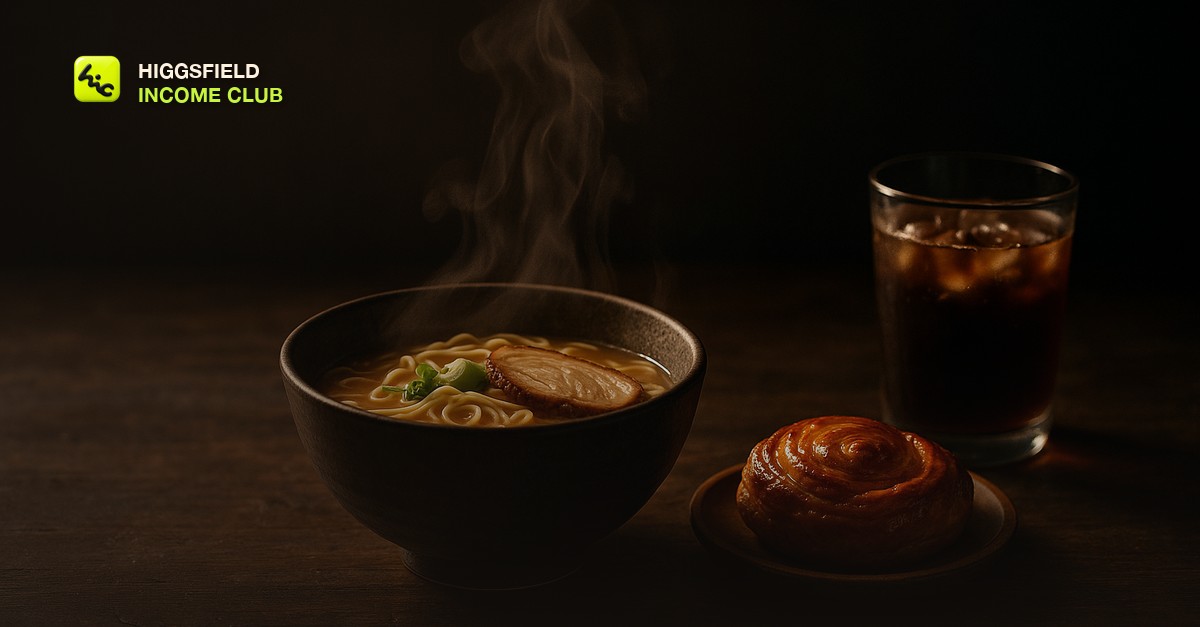
What makes an AI food video look real
An AI food video looks real when it behaves like a food commercial, and food commercials are built on restraint. One dish fills the frame. One thing moves, usually steam, a slow drip of glaze, or the camera itself. One light source, almost always from the side or behind, makes the surface glisten. Everything else is still. When a food clip looks fake, the cause is nearly always the opposite: three dishes, a hand reaching in, sauce pouring, and a camera that swoops around the table all at once.
The other half is texture. Real food has crumbs, uneven browning, a little oil on the surface, and edges that are not perfectly symmetrical. AI models lean toward a smooth, plastic version of food unless the prompt pulls them back. That is why the club starts every food piece from a real photograph instead of a text prompt. The photo carries the texture, and the model only has to add motion.
The Plate Rule: the club's framework for AI food video
The Plate Rule is the framework club members use for every food clip, and it fits on a sticky note: one plate, one motion, one light. Each shot gets exactly one hero dish, exactly one thing moving, and exactly one named light source. A sequence can have several shots, but no single shot breaks the rule. It sounds limiting. In practice it is the fastest way to a keeper, because every extra moving element is another place for the model to drift.
The Plate Rule
| Part | What to write in the prompt | What to leave out |
|---|---|---|
| One plate | Name the single dish, the plate or bowl it sits on, and the surface under it, matching the client's real photo | Full table spreads, several dishes competing, garnish you cannot see in the reference |
| One motion | Pick one: steam rising, a slow push-in, a gentle rotation of the plate, condensation running down a glass, glaze settling | Pouring, cutting, biting, stirring, hands, forks, anything that has to obey physics for more than a moment |
| One light | Name the source and direction: warm side light from a window, a single overhead pendant, backlight through steam | Flat front light, mixed color temperatures, several practical lights fighting each other |
The firsthand lesson behind the rule is that food clips fail at the moment something has to happen, not while something is being looked at. A bowl of ramen with steam drifting up will hold for the whole clip. The same bowl with chopsticks lifting noodles will turn the noodles into something nobody wants to eat by the second second. So the club shoots the look, not the action. If the client wants action, it goes in a separate shot, generated several times, and only the cleanest take survives. The lighting vocabulary that makes the one light work is in [how to get cinematic lighting in AI video](/blog/how-to-get-cinematic-lighting-in-ai-video), and the camera moves that stay stable are in [how to control camera motion in AI video](/blog/how-to-control-camera-motion-in-ai-video).
How to write the prompt for an AI food video
A good food prompt reads like a food photographer's shot note. It names the dish in plain words, the angle, the light, the single motion, and the lens feel. It does not ask for words, logos, prices, or brand names on screen, because models still render lettering badly and a misspelled menu item is worse than none. Every word goes on in the editor.
- Name the dish and its surface. A bowl of tonkotsu ramen with a halved soft egg in a dark ceramic bowl on a worn walnut table. Specific beats appetizing.
- Set the angle. Food reads best at a low three-quarter angle for burgers, drinks, and stacked dishes, and straight overhead for flat plates like pizza or salads. Pick one.
- Name one light. Warm side light from the left, dark background, soft shadow on the right. This is where the gloss and the steam come from.
- Give it one motion. Thin steam rising slowly, camera pushing in gently. Slow is the word that saves most food clips.
- Ask for texture. Visible crumbs, glossy surface, slight char, natural imperfections. This pulls the model away from the plastic look.
- Exclude what breaks. No hands, no utensils moving, no text, no logos. Put the exclusions in plain words at the end.
Save the prompts that work. A food client orders the same kind of shot every week with a different dish in it, so a tested template with one slot for the dish is worth more than any single clip. The system for that is in [how to build an AI video prompt library](/blog/build-an-ai-video-prompt-library), and the general prompt structure is in [how to write Higgsfield video prompts that get results](/blog/how-to-write-higgsfield-video-prompts-that-get-results).
What AI still gets wrong with food, and how to work around it
Some food shots are still hard for every video model I have used, and it saves a lot of credits to know which ones before a client asks. These are the problem shots and the workaround the club uses for each.
Problem food shots and the workaround
| Shot the client asks for | What usually goes wrong | What to do instead |
|---|---|---|
| Sauce or coffee pouring | The stream thickens, splits, or pours upward, and the level in the cup does not rise | Show the finished pour with condensation or steam, or film the pour for real on a phone and use AI for the rest |
| Cutting into a dish | The knife bends, the inside of the food changes between frames | Show the cut-open dish as a still hero with a slow push-in |
| Someone taking a bite | Faces, mouths, and hands warp, and it reads as uncanny | Keep people out of frame entirely and let the food carry the shot |
| Cheese pull | The stretch snaps or turns into a rubbery ribbon | Use the glossy melted surface and steam as the moment, not the stretch |
| Menu text or prices | Letters misspell and shimmer | Add all text, prices, and the logo in the editor |
Flicker and plastic sheen are the two quality problems that show up most on food. The fixes are in [how to fix flickering in AI video](/blog/how-to-fix-flickering-in-ai-video) and [why AI videos look fake](/blog/why-ai-videos-look-fake). If the delivery needs to be sharper than the generation, [how to upscale AI video for better quality](/blog/how-to-upscale-ai-video-for-better-quality) covers when upscaling helps and when it just sharpens the mistakes.
The Higgsfield workflow for a food clip
The workflow is still first, motion second. You clean up or restyle the client's photo as an image, approve that frame with the client, and only then spend video generations on it. Higgsfield's own homepage lists image models such as Nano Banana Pro alongside video models such as Seedance 2.5, and it lists Higgsfield Genjutsu with the line one video, many versions. That combination maps neatly onto food work: fix the still, animate it, then spin variations for different placements.
- Get the real photo. Ask the client for a well-lit phone photo of the actual dish, shot from the angle you plan to animate.
- Fix the still. Clean the background, warm the light, and add texture in an image model, without changing the food itself. Get a yes on this frame before any video generation.
- Animate with the Plate Rule. One motion, one light, generated a few times so you can pick the cleanest take. The model choice is covered in [how to choose the right Higgsfield model for your shot](/blog/how-to-choose-the-right-higgsfield-model-for-your-shot).
- Cut vertical and square. Most food clips live on Reels, TikTok, and delivery app listings. The formats are in [AI video aspect ratios explained](/blog/ai-video-aspect-ratios-explained).
- Add text and sound in the editor. The dish name, the price, the offer, and a quiet sizzle or pour sound. The sound choices are in [sound design for AI-generated videos](/blog/sound-design-for-ai-generated-videos).
- Batch the week. One sitting, five dishes, one look. The method is in [how to batch create AI videos for social media](/blog/how-to-batch-create-ai-videos-for-social-media).
Who pays for AI food videos
Food is one of the most practical client niches in AI video because the need repeats. Restaurants change specials, cafes launch seasonal drinks, bakeries rotate what is in the case, and food brands launch flavors. Each change is a new clip. That makes food the natural home for a small monthly package rather than one-off projects, and the structure is in [how to sell AI video on a monthly retainer](/blog/how-to-sell-ai-video-as-a-monthly-retainer).
- Local restaurants and cafes: a weekly special clip for Reels and a looping menu clip for a screen by the counter. The pitch for local owners is in [AI video for local businesses](/blog/ai-video-for-local-businesses).
- Packaged food and drink brands: product hero clips for ads and store listings, covered in [AI video for Etsy and Shopify product listings](/blog/ai-video-for-etsy-and-shopify-product-listings) and [how to use Higgsfield motion prompts for product ads](/blog/how-to-use-higgsfield-motion-prompts-for-product-ads).
- Your own faceless food channel: recipe-mood clips and cozy loops, built with [how to start a faceless AI video channel](/blog/how-to-start-a-faceless-ai-video-channel) and [how to make AI video loops that hold attention](/blog/how-to-make-ai-video-loops-that-hold-attention).
The fastest way into the niche is a spec piece. Take a photo of a dish from a restaurant you actually like, make one Plate Rule clip, and show it to the owner. A clip of their own food is a stronger pitch than any portfolio. Price it with [how to price AI video services for clients](/blog/how-to-price-ai-video-services-for-clients), and if the food clip is realistic, check [do you have to disclose AI-generated video](/blog/do-you-have-to-disclose-ai-generated-video) before it runs as an ad.
Inside the Higgsfield Income Club at higgsfieldincomeclub.com, $9/month, members share the food prompts that are producing keepers right now, the problem shots they have found workarounds for, and the restaurant pitches that turned into monthly clients. If food video is the niche you have been circling, start with one real photo and one Plate Rule clip this week.
Short, practical drops on income paths, prompts that work, packaging for views, and getting paid. No spam, unsubscribe anytime.
Frequently asked questions
How do you make AI food videos look real?
Start from a real photo of the actual dish rather than a text prompt, then give each shot one plate, one motion, and one light. Slow steam, a gentle push-in, and warm side light read as appetizing. Asking for visible crumbs, gloss, and small imperfections pulls the model away from the plastic look.
What food shots does AI video struggle with?
Pouring liquids, cutting into food, people taking bites, cheese pulls, and any on-screen text are the shots that break most often. The club's workaround is to show the finished moment as a still hero with one slow motion, keep hands and faces out of frame, and add all text in the editor.
What is the Plate Rule?
It is the club's framework for AI food video: every shot gets one hero dish, one thing moving, and one named light source. A sequence can have several shots, but no single shot breaks the rule, because every extra moving element is another place for the model to drift.
Can I use AI video for a restaurant's ads?
Yes, as long as the clip shows the dish the kitchen actually serves. Use the client's real photo as the reference, never invent a dish or make a portion look larger than it arrives, and check the disclosure rules of the platform the ad runs on if the clip is realistic.
Which Higgsfield tools work for food video?
Higgsfield's homepage lists image models such as Nano Banana Pro, video models such as Seedance 2.5, and Higgsfield Genjutsu for making many versions of one video. The club's workflow is to fix the still in an image model, animate it with the Plate Rule, then create variations for different placements.
How do I find clients for AI food videos?
Make one spec clip from a photo of a dish at a restaurant you like and show it to the owner. Food businesses change specials and menus constantly, so a small monthly package of clips is usually a better offer than a single project.
Last reviewed by David on September 29, 2026
