
Why the Same Character Looks Different in Every Clip
A text-to-video model has no persistent memory of 'your character.' Every generation is a fresh interpretation of whatever words are in the prompt. Small wording differences, 'young woman with brown hair' in one prompt and 'woman with dark hair' in the next, shift the face, the build, and the styling enough that viewers notice by the third or fourth clip. This is not a bug you can prompt your way around with better adjectives. It is the default behavior of the model, and it needs a different fix.
This is a separate problem from motion or scene drift, where the background or camera behaves oddly. This guide is specifically about identity: keeping one face, one build, and one look recognizable as the same character across a full body of work.
Build the Identity Anchor Kit Before You Generate Anything
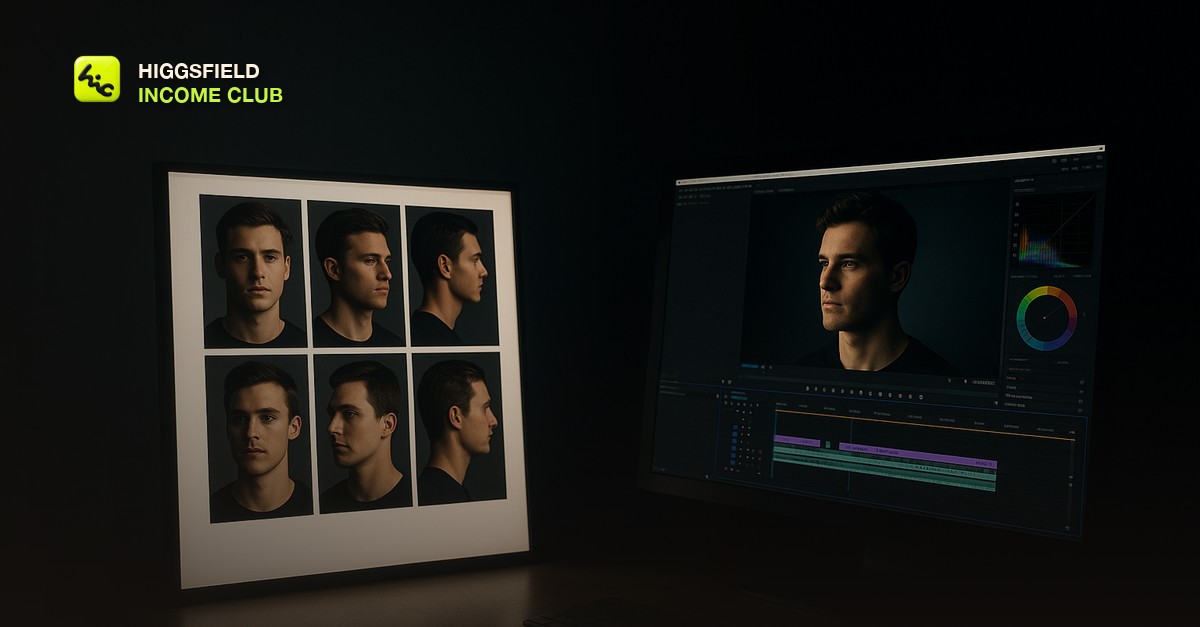
The Identity Anchor Kit is a small, fixed set of reference images for a character, built once and reused for every clip that character appears in. It is the foundation everything else in this guide depends on.
- Generate or select a clean, front-facing reference image of the character. This becomes the primary anchor.
- Add a three-quarter angle reference so the model has more than one view of the face.
- Add a full-body or outfit reference so clothing and build stay consistent, not just the face.
- Optionally add a close-up expression reference if the character needs to show emotion in scenes.
- Save all four as a locked set, named consistently, e.g. character-name_v1_front.jpg, and never regenerate the base character once the kit is set.
Write One Character Block and Reuse It Word-for-Word
Lock the text description exactly the same way you locked the images. Write one paragraph describing the character's face, hair, build, and defining features, then copy that exact block into every prompt for that character. Change only the scene and action portion of the prompt, never the character description itself.
Wording drift is what causes visual drift, even with a reference image attached. A prompt that says 'a man in his late 20s, short dark hair, light stubble, wearing a charcoal jacket' one day and 'a young man with dark hair in a grey jacket' the next is technically describing the same person, but the model reads them as different instructions and generates accordingly.
Anchor With Image-to-Video, Not Text-to-Video, When It Matters
Image-to-video generation starts from an actual reference frame and carries its pixels forward into motion. Text-to-video regenerates the face from words alone, with no anchor to hold it steady. For any clip where the same character needs to reappear and be recognizable, default to image-to-video, anchored on the front-facing image from the Identity Anchor Kit.
When Clips Still Drift: The Fallback Fixes
Even with a locked kit and a fixed character block, some generations will drift. When that happens, regenerate from the original reference frame instead of trying to fix the drifted output, and discard outliers instead of forcing them into the final cut. Keep a running 'best takes' folder per character so future clips can reference your highest-quality prior output, not just the original kit.
A light color and tone match in CapCut or DaVinci Resolve smooths minor lighting shifts between clips shot in different sessions. This helps with small inconsistencies, not major identity drift. If a clip's face or build is clearly off, cut it, do not try to edit it into looking right.
Short, practical drops on income paths, prompts that work, packaging for views, and getting paid. No spam, unsubscribe anytime.
Frequently asked questions
Does Higgsfield have a built-in character consistency feature?
Reference-image and image-to-video workflows are the reliable way to hold a character steady in Higgsfield today. The technique in this guide works with the tools already in the platform. You do not need a separate consistency feature to get a stable character, you need a disciplined reference and prompt process.
How many reference images do I need for the Identity Anchor Kit?
Three to five is enough for most characters: one front-facing, one three-quarter angle, and one full-body or outfit shot. More angles help for characters that will appear in a wide variety of scenes, but a small, high-quality set beats a large, inconsistent one.
Can I keep a character consistent across different outfits?
Yes, but each outfit needs its own reference image added to the kit. The face and body description block stays fixed. The outfit portion of the prompt changes and pairs with its own reference photo.
Where can I learn the full Identity Anchor Kit workflow?
The Higgsfield Income Club walks through building and using the Identity Anchor Kit step by step, including the character-block template used in this guide. Join at higgsfieldincomeclub.com for $9/month.
Last reviewed by David on August 5, 2026
